
Vercel integration
Vercel uptime, deploy tracking and analytics
BugOtter imports every Vercel project with one token. It checks each production domain from three regions and tracks every production deploy, so an outage or a new error says which deploy it started after. Add the script for analytics and browser errors, on any framework Vercel runs.
- 1 tokenimports every project
- 3 regionscheck each domain
- Autotracks every production deploy

One token, every project
Personal account and teams in one picker. The custom production domain is picked over *.vercel.app.Deploys track themselves
Every production deploy that reaches Ready. No webhook, nothing in your build.Checked from three regions
US East, Europe and US West. An outage only counts when two agree.
Import every project in two minutes
Create a token in Vercel
Open vercel.com/account/tokens. Scope: Full Account for personal projects and every team, or one team. Choose an expiry.Paste it in BugOtter
Click Import from Vercel. You see every project the token can see, with the ones you already watch marked. Each gets its custom production domain over*.vercel.app.Pick the ones to watch
Checks start right away, from US East, Europe and US West. SSL certificates and domain expiry are watched too. Each app remembers its Vercel project, which deploy tracking runs on.
Vercel tokens have no read-only option (checked Nov 4, 2026). BugOtter only sends read requests with it, and stores it encrypted.
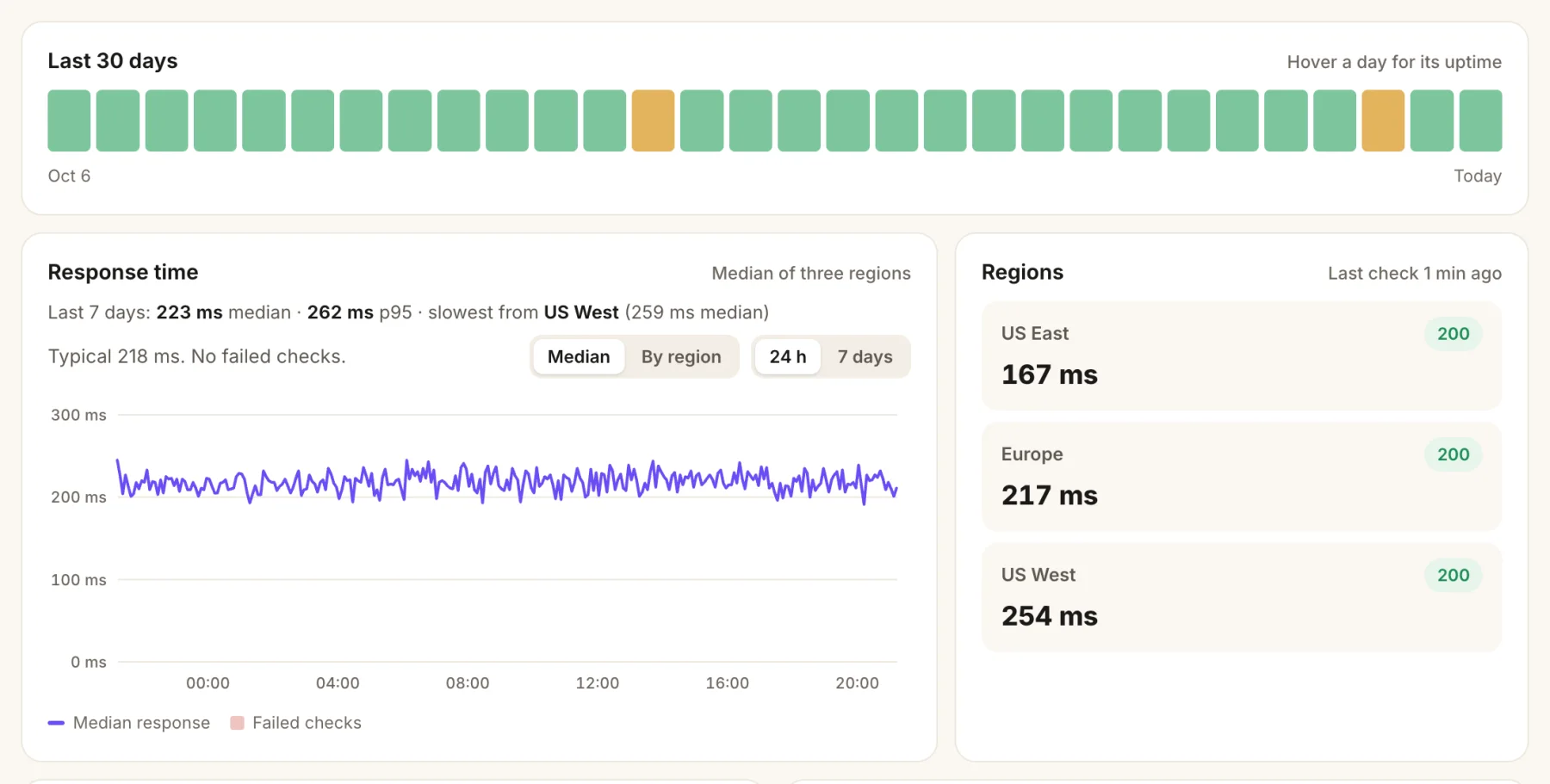
- 30 days at a glance. Amber marks a day with some downtime.
- Response time, median and p95, with the slowest region named.
- Three regions. An outage only counts when two agree.
Every production deploy, tracked by itself
0
Webhooks or build steps to add for deploy tracking
You then get:
- Errors with their deploy. “Started 4 min after deploy c0ffee1” on the issue, so you know which change to look at.
- Release health. Errors per hour since the latest deploy against the one before, new error types, and resolved errors that came back.
- Deploys on the traffic chart, so a drop in signups lines up with the change that caused it.
To tie browser errors to a deploy exactly, add data-release to the script with the same commit.
Vercel exposes VERCEL_GIT_COMMIT_SHA at build time and at runtime, as long as Automatically expose System Environment Variables is on (it is by default).

- Deploy check. After each Vercel deploy: new errors, error rate, speed and sales against the day before.
- New errors name their release, so you know which change to look at.
- Who it hit: events and people, per issue.
Analytics past ad blockers, with vercel.json
Ad blockers drop 20–40% of visitors for most analytics. Vercel rewrites to an outside URL, so your own domain can serve the script.
// vercel.json
{
  "rewrites": [
    { "source": "/_bo/bo.js", "destination": "https://bugotter.com/bo.js" },
    { "source": "/_bo/api/collect", "destination": "https://bugotter.com/api/collect?via=YOUR_PROXY_KEY" },
    { "source": "/_bo/api/errors", "destination": "https://bugotter.com/api/errors?via=YOUR_PROXY_KEY" }
  ]
}
// then: <script defer src="/_bo/bo.js" data-app="YOUR_APP_ID"></script>This works for any framework on Vercel: Astro, SvelteKit, Nuxt, React Router, Vite or plain HTML. On Next.js you can use the same three rules in next.config.ts instead.
The script finds its API next to wherever it's served, so nothing else changes.
Check it once: curl -sI https://yourapp.com/_bo/bo.js should answer 200. Your proxy key is on the app's Traffic tab in BugOtter. Keep the ?via= part: it proves visits came through your proxy, and it only lives in server config, never in the page.
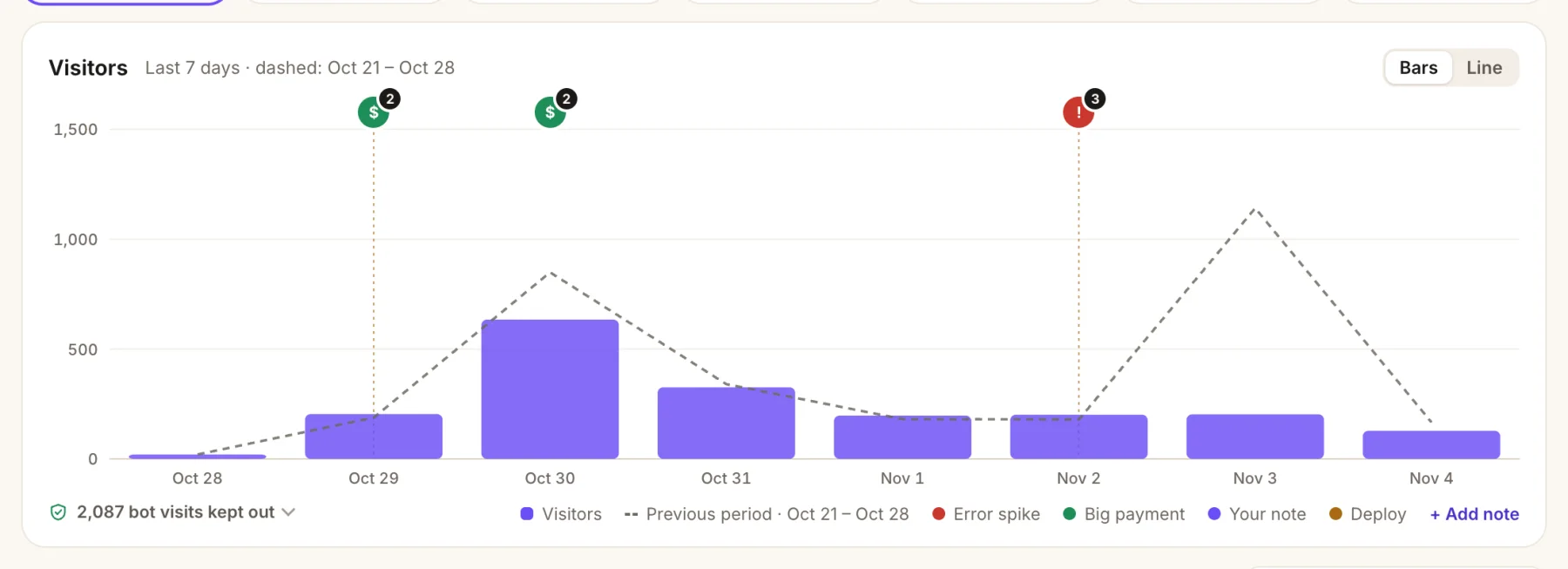
- Visitors, against the period before (the dashed line).
- Markers for big payments, error spikes and deploys.
- Bots kept out of the count.
Errors and source maps on Vercel
Browser errors arrive with the script. For Vercel Functions, use the Sentry SDK for your framework with your BugOtter DSN.
The framework pages have the exact files: Next.js, SvelteKit, Nuxt, Astro and React Router. Add the keys to the project, for Production and, if you like, Preview:
vercel env add BUGOTTER_DSN production
vercel env add BUGOTTER_PROJECT production
vercel env add BUGOTTER_KEY production   # the upload key: build only, never in browser code
Then upload source maps in the build command, right after your framework's build. On Vercel the CLI tags them with the commit from VERCEL_GIT_COMMIT_SHA by itself.
For Next.js that's next build && npx bugotter sourcemaps .next --delete. Other frameworks upload from .vercel/output/static, as their pages show.
A status page for your Vercel app
Vercel's status page covers Vercel. Yours should cover your app: the home page, an API route that touches the database, and sign-in.
Add those as checks, with an expected status, word or JSON value, so an error page that answers 200 still fails. Then turn on the status page:
- It lives at
bugotter.com/status/your-appand shows uptime, incidents and the updates you post. Never errors, logs or revenue. - Pro can serve it from your own domain, like
status.yourapp.com: add the two DNS records it shows, and the certificate is set up for you. - Visitors can subscribe to updates, and a badge shows your uptime in the README.
- Planning a risky deploy? Open a maintenance window: checks keep running, alerts stay quiet, and the page says so.

- One line for your users: all good, or what isn't.
- Uptime per check, day by day.
- Incidents and your updates. Never errors, logs or revenue.
Cron Jobs report too
Give the job a heartbeat in BugOtter and call its URL when the job finishes:
// app/api/cron/digest/route.ts (a Vercel Cron Job)
export async function GET() {
  await sendDigests();
  await fetch(process.env.BUGOTTER_HEARTBEAT_URL!); // "finished": a late or missing run alerts you
  return Response.json({ ok: true });
}
The full walk-through, with what to check and how often, is in A status page for your Vercel app.
Or ask your coding agent
Connect BugOtter to Claude Code, Cursor or Codex once over MCP. It signs in through your browser, read-only unless you allow changes. Then paste one line.
claude mcp add --transport http --scope user bugotter https://bugotter.com/api/mcpThen ask, in plain words:
Using BugOtter, did the last production deploy of this app make errors go up? Show me the new ones.
Add the BugOtter ad-blocker rewrites to vercel.json and switch the script tag to /_bo/bo.js.
Add source map upload to this project's Vercel build command, and tell me which env vars to add in Vercel.
Cursor, VS Code, Codex and the rest have their own one-step setup at Docs: your agent (MCP). Every setup screen in BugOtter also has a Copy prompt for your agent button with your keys filled in.
Questions
Does BugOtter store my Vercel token?
Yes, encrypted, because it reads new deploys every few minutes. It's only used for read requests: your user and teams, the project list, and production deployments. Vercel tokens can't be made read-only, so pick a short expiry if you prefer, and paste a fresh token when it runs out. You can also revoke it in Vercel at any time.
Which token scope should I pick?
Full Account if your projects are spread over your personal account and teams: BugOtter then lists them all in one picker. A Team scope works if everything lives in one team. A Project scope is too narrow for the import, which lists projects across your account.
Are preview deployments tracked?
No, only production deployments that reached Ready. Previews would flood the timeline and rarely explain a production error. Uptime checks also go to your production domain, since previews are usually behind Deployment Protection.
Which commit does a deploy show?
The commit SHA and message Vercel records from GitHub or GitLab. A deploy without git details (for example from a local vercel deploy) is listed by its Vercel deployment id instead.
What about Vercel's own status page?
Subscribe to it: it tells you whether Vercel is healthy. Your app can still be down while Vercel is green, from a bad deploy, a missing environment variable or a database that's out of connections. BugOtter checks your own URLs for that.
Can my agent see deploys?
Yes. Over MCP, your coding agent can read recent deploys and the errors that started after each one, and open a fix for the worst. It can't connect or disconnect Vercel.
Sources
Checked Nov 4, 2026 against Vercel's docs on access tokens, rewrites, vercel.json and system environment variables. BugOtter isn't affiliated with Vercel.
Watch every app you ship, from one calm list.
14 days of everything, no card needed. Plans from $10 a month, billed yearly.